PixelLab vs AirBrush: Which Photo Editing Application Is Better to Edit Photos in 2026?
Are you trying to find a professional and easy-to-use photo editing application? Have you used different applications but not found good results? Don’t like complex user interfaces? Do you want an editing app that offers all the premium editing features required for graphic design? PixelLab is a great photo editing software for you. PixelLab is a completely free-to-use editing application that allows you to create high-quality Graphics and Edit Photos using its simple user interface.
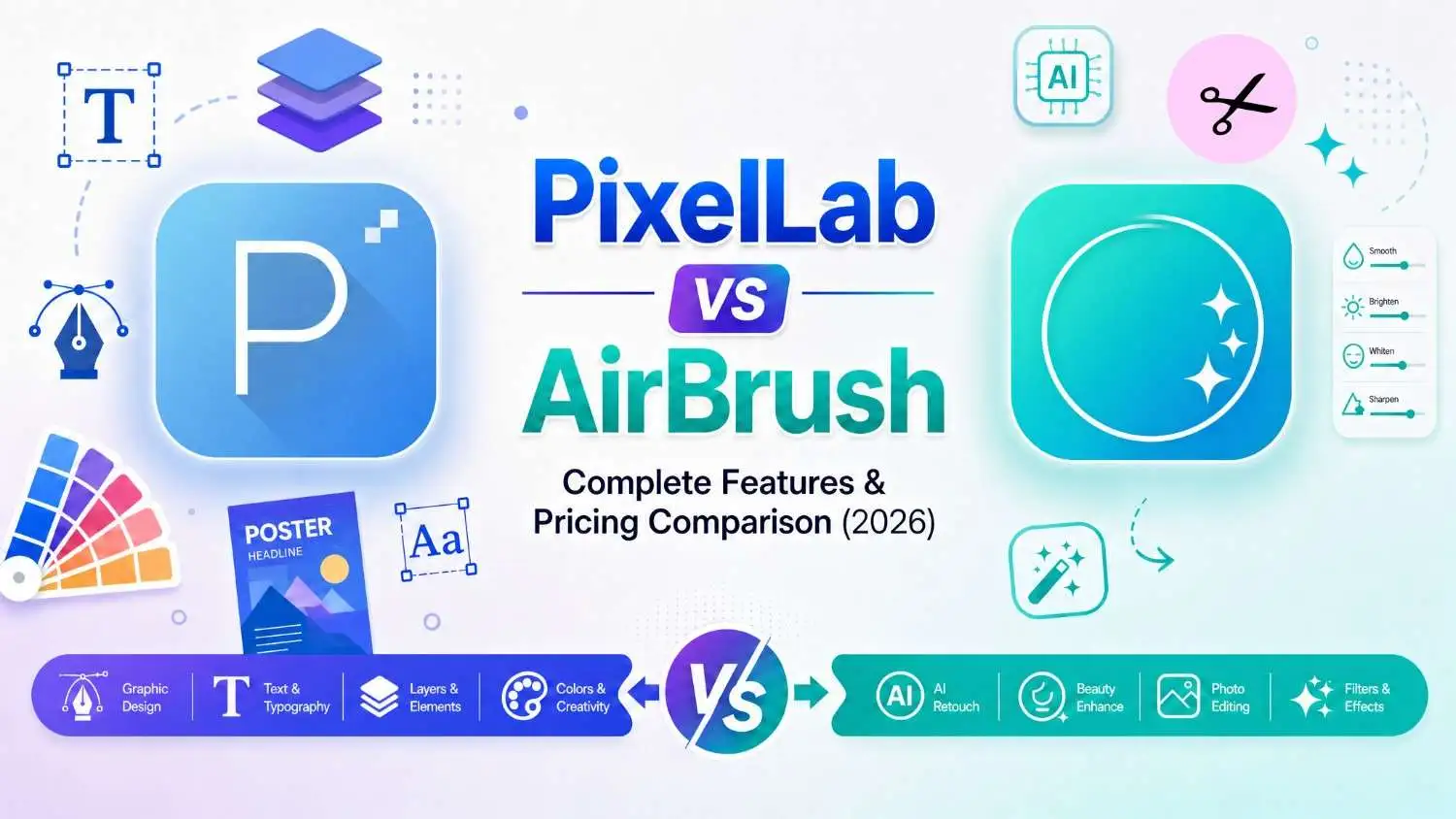
PixelLab and AirBrush are both great applications that are used for professional graphic design. You don’t want to buy heavy subscription plans to make graphics because PixelLab is free to use. In these apps, you have access to advanced editing features like text customization, font importing, high-quality export formats, filters, templates, and a lot more. Both pixellab and airbrush provide different editing features, so let’s compare their features in detail.
PixelLab vs AirBrush: Overview
Pixellab and Airbrush are both one of the most popular editing applications in the world. Do you want to understand these applications and their features? Both Pixellab and Airbrush offer all features required for graphics designing like Layer Management, strokes, text customization and Background removal. Both Pixellab and Airbrush have different strengths, let’s understand them to select the best editing app.
What Is PixelLab?
Pixellab is a popular and easy to use editing application that was developed in April 2015 by App Holdings. It is a fully featured loaded application, it makes photo editing easy because of its simple and easy to use interface and organized toolbar. Pixellab allows both professionals and beginners to create designs even if they have no editing background. You can use its advanced text manipulation, layer management, chroma key and fonts import features free of cost.
What is an Airbrush?
Air Brush is a quick editing application for mobile. It was developed by Pixocial Technology (Singapore) Pte. Ltd. in 2016, which is affiliated with Meitu, Inc. It is made for quick enhancements to your photos and portraits. Airbrush is only for quick enhancements to improve your photos and make them more attractive. Pixellab is a complete editing application on your phone that runs offline without the internet; however, Airbrush requires an internet connection for most features. Airbrush provides only basic editing features because it is basically made for quick improvements to your designs. If you want graphic designing software, then Pixellab is the best option, while Airbrush is only for improving your designs and photos.
PixelLab vs AirBrush: Key Features Comparison
Are you trying to understand and compare the key features of PixelLab and AirBrush? Both PixelLab and AirBrush provide different features depending on your requirements. After reading this key feature comparison, you can easily select the best editing app for you. This comparison also provides a clear understanding of the features in PixelLab and AirBrush. You can select the best option for your use case and achieve the desired results. You can also compare PixelLab with Canva, Pixlr, and other apps.
- Pixellab was developed by App Holding in April 2015.
- Pixellab provides all basic to necessary graphic-designing features like text manipulation, pre-made templates, an easy-to-use interface and more.
- Offers all customization features like text customization, fonts customization, background customization, and shapes and elements customization features.
- It is good for small business owners and social media content creators who want to make marketing media, banners, social media posts and professional designing tasks from mobile.
- Pixellab provides all necessary editing features for free, you don’t need to buy premium subscriptions. However, for big and professional-level editing projects you can buy its premium plan.
- Pixellab users get access to all advanced editing tools like custom fonts, background removal, layer management, gradients and pre-made templates.
- You can easily create professional graphics like logos, banners, posters, ads, invitations and presentations.
- Organized and user-friendly interface that allows both beginners and professional editors to design quality graphics for their businesses, projects, ads and more.
- It supports different exporting options like PNG, JPG and PLP (project file).
- You can manage layers of your designs and graphics by using its multi-layer management feature.
- Pixellab is mainly for graphics designing, you can design any type of graphics on it by using its simple tools.
- Airbrush was developed by Pixocial Technology Ltd. in 2016.
- The primary focus of Airbrush is photo and selfie enhancements and improvements. It is not a complete app for editing and creating graphics.
- It offers limited options like skin smoothing, blemish remover, teeth whitening and other photo enhancement options.
- It can be used for low-priority daily routine photo-editing. Good for casual pictures improving.
- It provides very basic editing tools and features in the free version; you have to buy its premium version for editing.
- The main focus of Airbrush is quick enhancements of your daily life selfies and portraits. It provides features like retouching, filters and skin smoothing.
- Good for fast editing your selfies, portraits and enhancements.
- Not for professional use. Airbrush is only for enhancing casual selfies.
- It only supports JPEG and PNG.
- Doesn’t provide layer-management features.
- Airbrush is mainly for photo enhancements, skin smoothing and casual selfie tasks.
PixelLab vs AirBrush Pricing Comparison
Do you want to use the premium features of these applications? Want to compare their free and premium versions to choose the best one according to your workflow? Both apps provide advanced features in their premium plans. Let’s understand these features in detail to remove the confusion about whether they are worth buying.
Pixellab pricing and plans compared
Free versions of Pixellab have all necessary features and tools like text editing, custom font import, text editing and Layer management. These features are discussed below in detail,
- Text editing feature: You can import multiple fonts according to your choice, apply filters, effects and shadows.
- Advanced editing tools: It also provides advanced features like background remover, applying filters and effects, layer management and more.
- Multiple elements: You can use shapes, elements, stickers, images and decorative elements in your designs.
- Pre-made templates: Very limited templates are available in the free version of Pixellab, you have to buy its paid version for more.
Paid version of Pixellab is for the users who want to edit on big and professional level projects. It provides all advanced editing tools like background removal, templates and e.t.c. Now discuss these versions in detail,
- Customize fonts: You can customize fonts in the premium version of Pixellab. You can use and import fonts of your choice and use stroke, effects and other premium features.
- Background editing: You can change, remove and replace your design’s background in the paid version of Pixellab.
- Ads-free experience: You will not see any type of ads in this feature of Pixellab, so no distractions in work time.
- Export options: In this version, you can export your graphics in PDF.
The Paid version of Pixellab is $2.99 to $4.99 for weekly subscription, $4.99 to $14.99 for monthly subscription and $19.99 to $49.99 for yearly subscriptions. To unlock a premium feature for payment time then you can unlock it for only $6.99 to $8.99.
AirBrush Pricing and plans compared
The airbrush free version is good for low priority tasks and quick edits. It provides many basic editing tools for quick photo enhancements. Like; Blemish removal, Blemish removal, Teeth whitening, Limited filters, quick facial enhancements and e.t.c It also comes with a simple and organized user interface. Free version of airbrush is good for basic and casual editing and enhancements not for professional editing.
Premium version of Airbrush is a complete application for daily life selfies and portraits enhancement. It provides many advanced tools like; body re-shaping, background blurring, more filters and re-touching photos. You will get ads free editing experience in the paid version of Airbrush. In the premium version you get the access to all tools and features in the app.
Airbrush Monthly subscription is $7.99 to $9.99 per and its yearly subscription is $29.99 to $35.99.
Conclusion
Pixellab and Airbrush are popular for their advanced editing tools and features. Both apps are for different purposes and provide different features. You can choose one of them depending upon your workflow and editing requirements. If you want to make professional designs and graphics then pixellab is the best choice among them for you. However, if you want an application that is for casual tasks like retouching and smoothing facial features then Airbrush is a good choice. After reading this blog you can easily understand and choose the best tool according to your choice.
In this blog we compared all features of Pixellab and Airbrush in detail like; pricings, premium tools, basic tools, best for and e.t.c. Both of these applications provide professional results in their fields, but pixellab is required for premium and professional editing. Airbrush is for quick tasks only. You can make any type of graphics in Pixellab like podcast logos, business ads, banners, posts, and logos.